Protein Entry
Once a project is created, you can navigate through it.
- Select the [Proteins] tab and click the [+ New Protein] button.
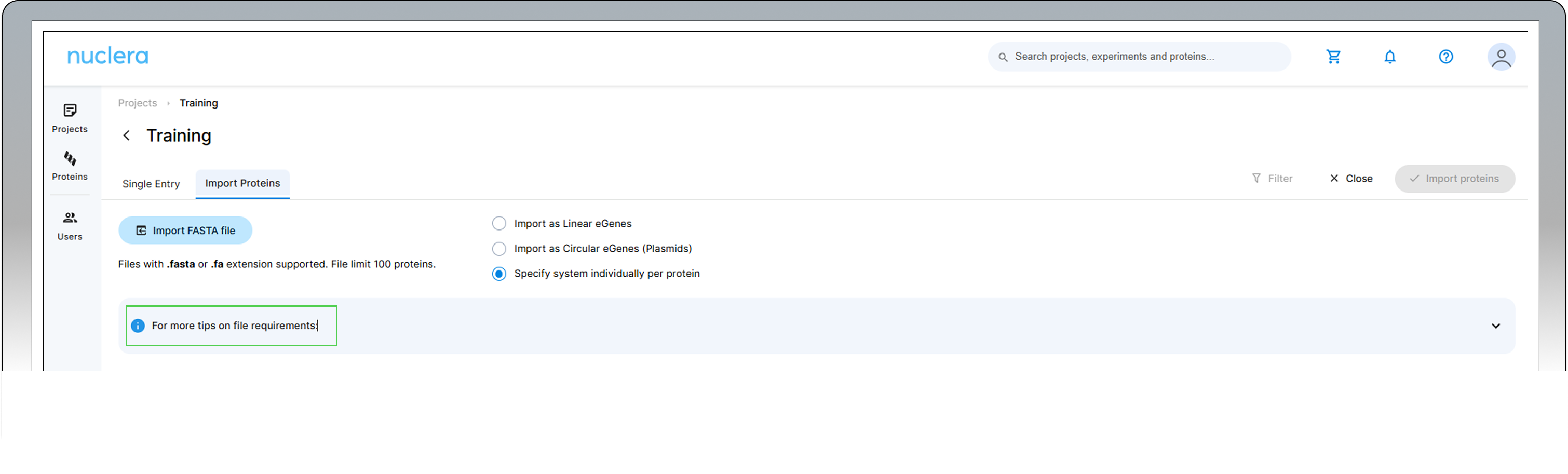
Bulk protein sequences can be imported from a FASTA file by clicking on the [+ Import Proteins] button. This feature is particularly beneficial for users looking to import 24 sequences or more at once.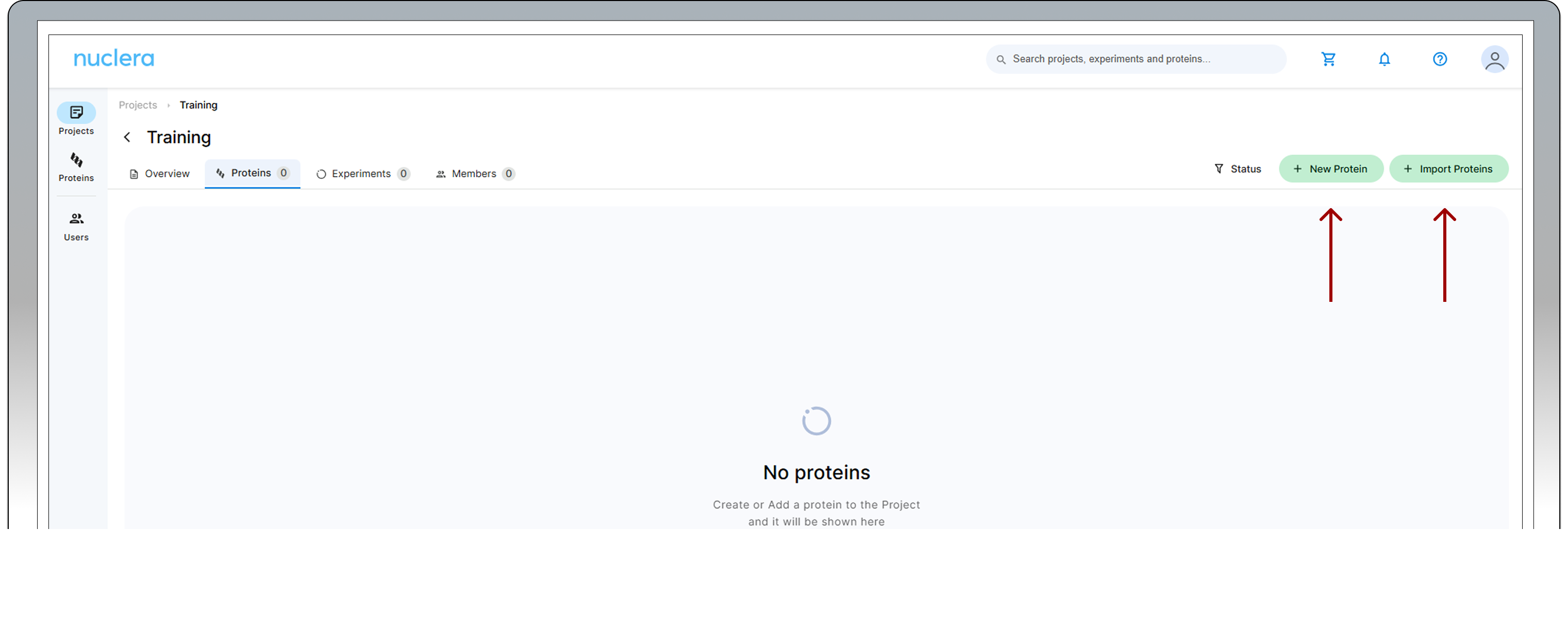
For more information about the "Import Proteins" feature, click on the i blue symbol
-
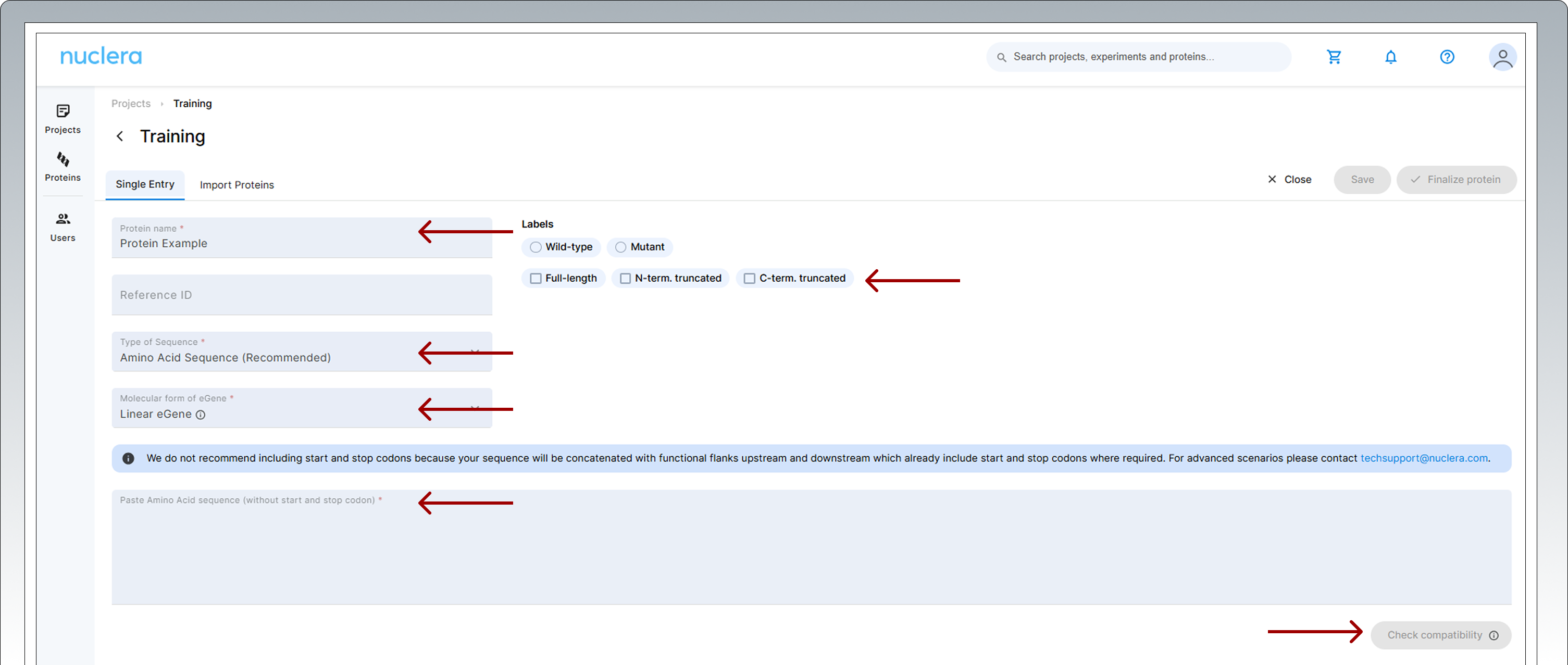
Add a name for your sequence and a reference ID (optional). Select the labels that apply to your protein and add any notes. Select the molecular form of the eGene constructs you want to use, Linear eGene or Circular eGene. Select type of sequence you are submitting, amino acid or DNA. Copy and paste the amino acid or a DNA sequence into the input box. Click on [Check Compatibility] and wait until all the tests have been performed.
-
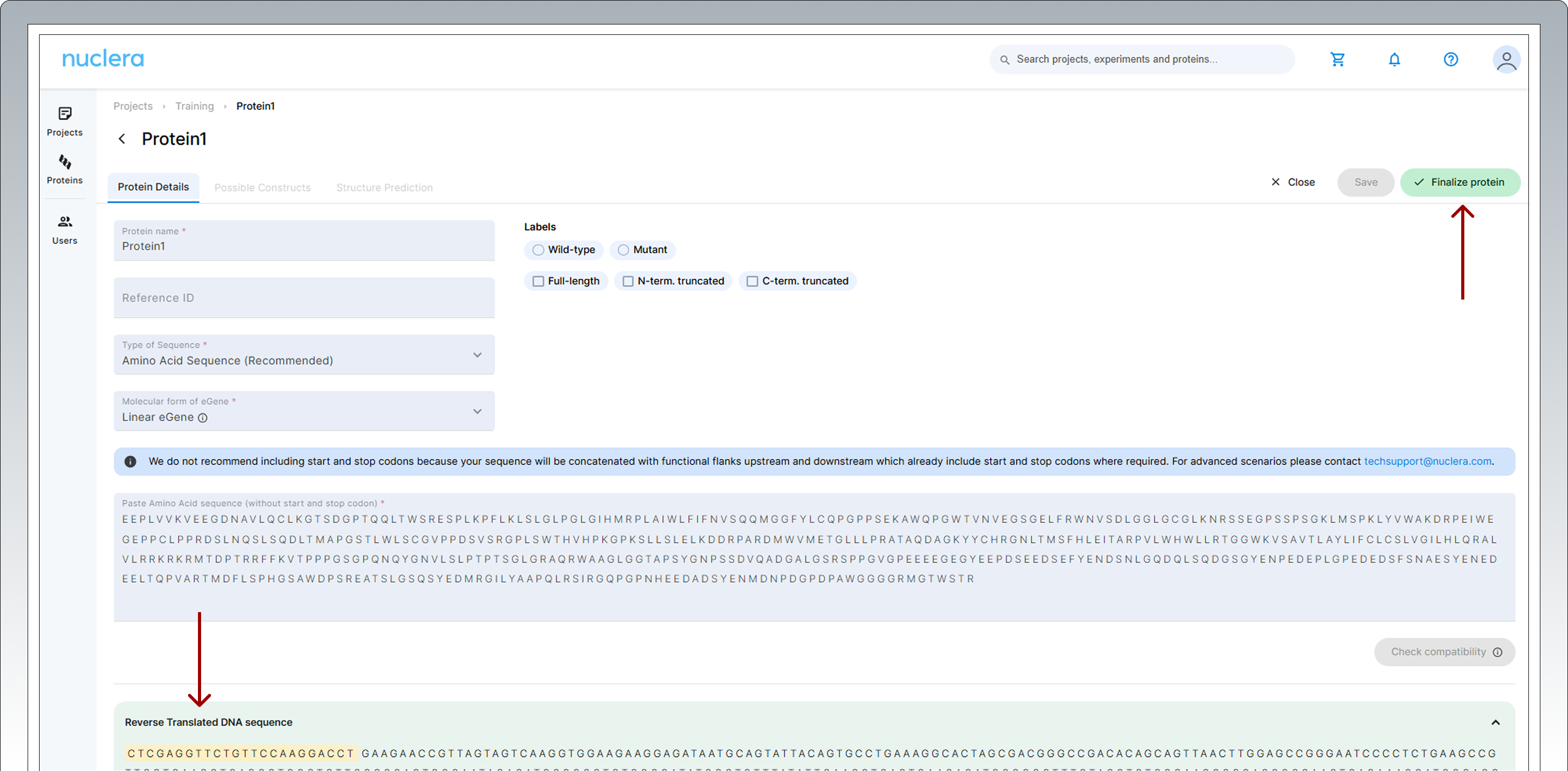
If you have uploaded an amino acid sequence, the sequence will be codon optimized and converted to a compatible DNA sequence. For linear eGene construct format, adaptor sequences will also be added to the 5’ and 3’ end. These adaptor sequences will serve as primer annealing points during the PCR reaction to expand each construct with the appropriate fusion tags.
-
The software will perform DNA sequence compatibility checks to ensure that there are no conflicting sequences that can impact DNA synthesis.
-
Protein expression compatibility checks will also be performed in the background to detect transmembrane domains, disorder regions or the presence of start and stop codons. If any expression incompatibility is detected, a warning signal will be displayed. Users can still proceed at risk or return to modify the sequence.
-
If you are happy with the sequence, press the [Finalize protein] button located at the top right corner of the screen.
-
Once finalized, the protein or DNA sequence cannot be modified.
-
The translated DNA sequence can be copied and gene fragment ordered from Nuclera’s recommended DNA synthesis vendor.
Nuclera Technical Support:
UK Phone +44 1223 942 761
US Phone: +1 508-306-1297
Email: techsupport@nuclera.com
Offices:
Nuclera UK (HQ):
One Vision Park, Station Road, Cambridge, CB24 9NP, UK
Nuclera USA:
1000 Technology Park Drive, Suite B, Billerica MA 01821, USA
Copyright © 2025 Nuclera Ltd. All trademarks are the property of Nuclera, Ltd. Visit nuclera.com/legal for more info.